
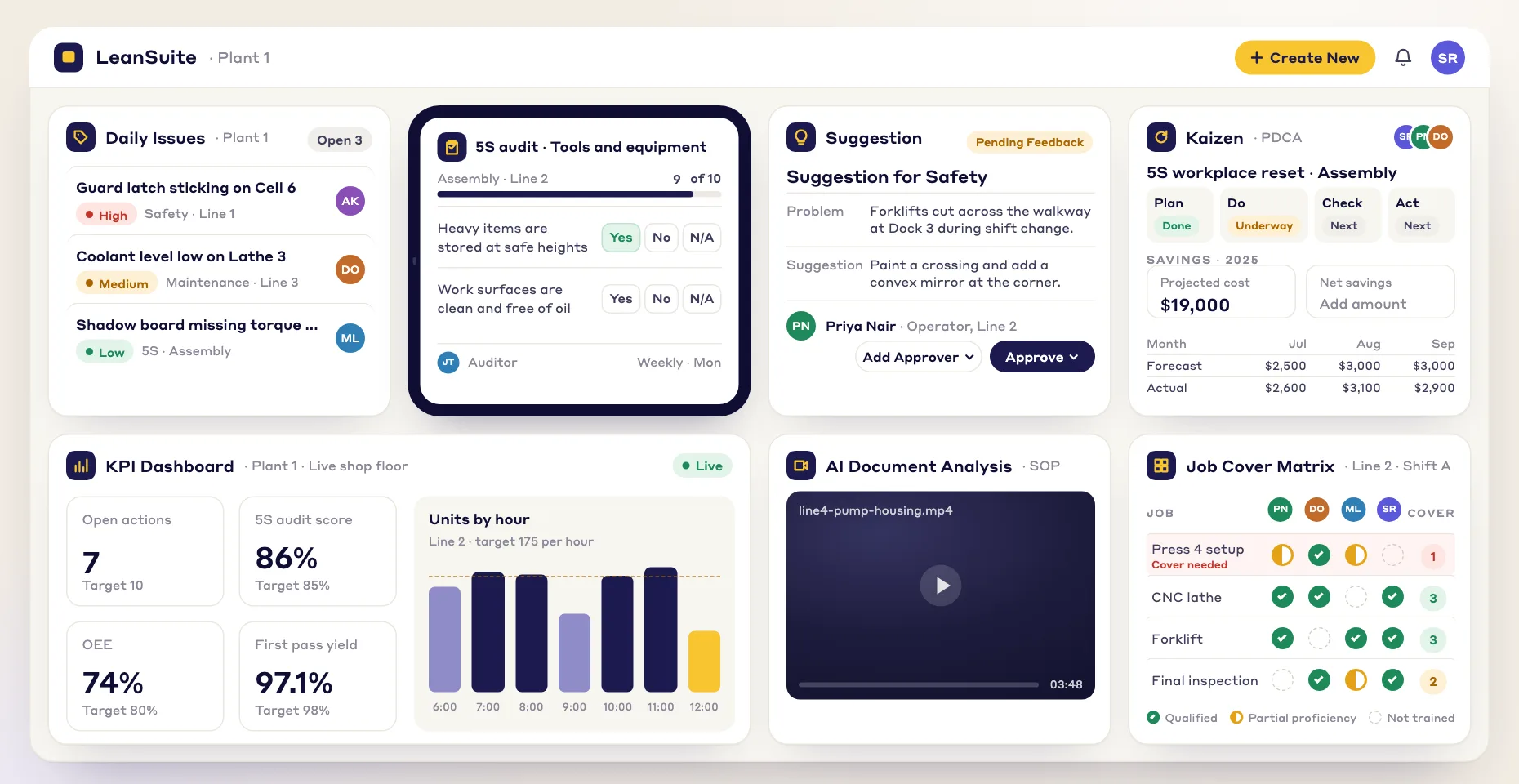
GAIN INSTANT VISIBILITY
See your team's skills at a glance
A live, color-coded view of who is qualified for each job or area, built from skill levels and procedure sign-offs, not an old spreadsheet.
A job cover matrix shows who is qualified to cover each job. LeanSuite builds it from skill levels and signed-off procedures, so you can cover an absence fast and spot single points of failure.
By clicking "Schedule Demo," you agree to the use of your data in accordance with LeanSuite's Privacy Notice, including for marketing purposes.
TRUSTED BY INNOVATIVE LEADERS
Job cover matrix, step by step
A job cover matrix is a grid of the jobs on a shift against the people on it, showing who is qualified to cover each job and how many qualified people each job has. Its purpose is to answer one question before the shift starts: if someone is absent, who can take their job? A job with one qualified person is a single point of failure.
Stations, machines and roles that need a trained person on every shift, such as filler setup or line quality checks. Use the jobs, not job titles.
Everyone who works the shift, including leads and floaters. Cover is counted per shift, because a qualified person on nights does not cover days.
Use one written scale, such as 0 (not trained) to 4 (can train others), with a trainer or team leader confirming the level by watching the work. Count 3 or 4 as qualified to work alone.
For each job, count the qualified people and compare with the cover you need. Two per job is a common starting point; set more for jobs that stop the line or carry safety or quality risk.
Pick who trains on each short job, from which level to which, with a trainer at level 4 and a target date. Re-count when someone is signed off, joins or leaves.
| Person | Filler setup | Capper | Labeler | Case packer | Line quality checks |
|---|---|---|---|---|---|
| Ana | 4 | 3 | 2 | 3 | 1 |
| Ben | 3 | 2 | 3 | 4 | 0 |
| Carla | 1 | 3 | 4 | 3 | 0 |
| Dev | 0 | 2 | 3 | 2 | 3 |
| Eli | 2 | 4 | 1 | 3 | 0 |
| Femi | 0 | 1 | 2 | 3 | 1 |
| Qualified (3 or 4) | 2 | 3 | 3 | 5 | 1 |
| Cover needed | 3 | 2 | 2 | 2 | 2 |
| Gap | 1 short | OK | OK | 3 spare | 1 short: single point of failure |
Illustrative names and levels. Scale: 0 not trained, 1 in training, 2 can do it with help, 3 can do it alone to standard, 4 can train others. The cover needed is this example's choice: three for the filler because it sets the line rate, two for the rest.
Read the bottom rows. Line quality checks depend on Dev alone, and nobody is at level 4 to train a second person, so the quality engineer trains Ana and Femi (both at level 1). The filler is one short of three: Eli at level 2 is the quickest sign-off, coached by Ana. The case packer has three more qualified people than it needs, which frees someone to train elsewhere.
When a job's only qualified person is absent today, do not put someone at level 0 or 1 on it alone. Move a qualified person from a job that has spare cover, or run the job with a level 2 person under the eye of a level 3 or 4, and log it as a gap to close. The free skills matrix template counts coverage per task for you, and the cross-training plan tracks who is learning which job and flags any job below the cover you set.
OPERATIONAL AGILITY
When someone calls out, the scramble for a replacement becomes a clear decision:
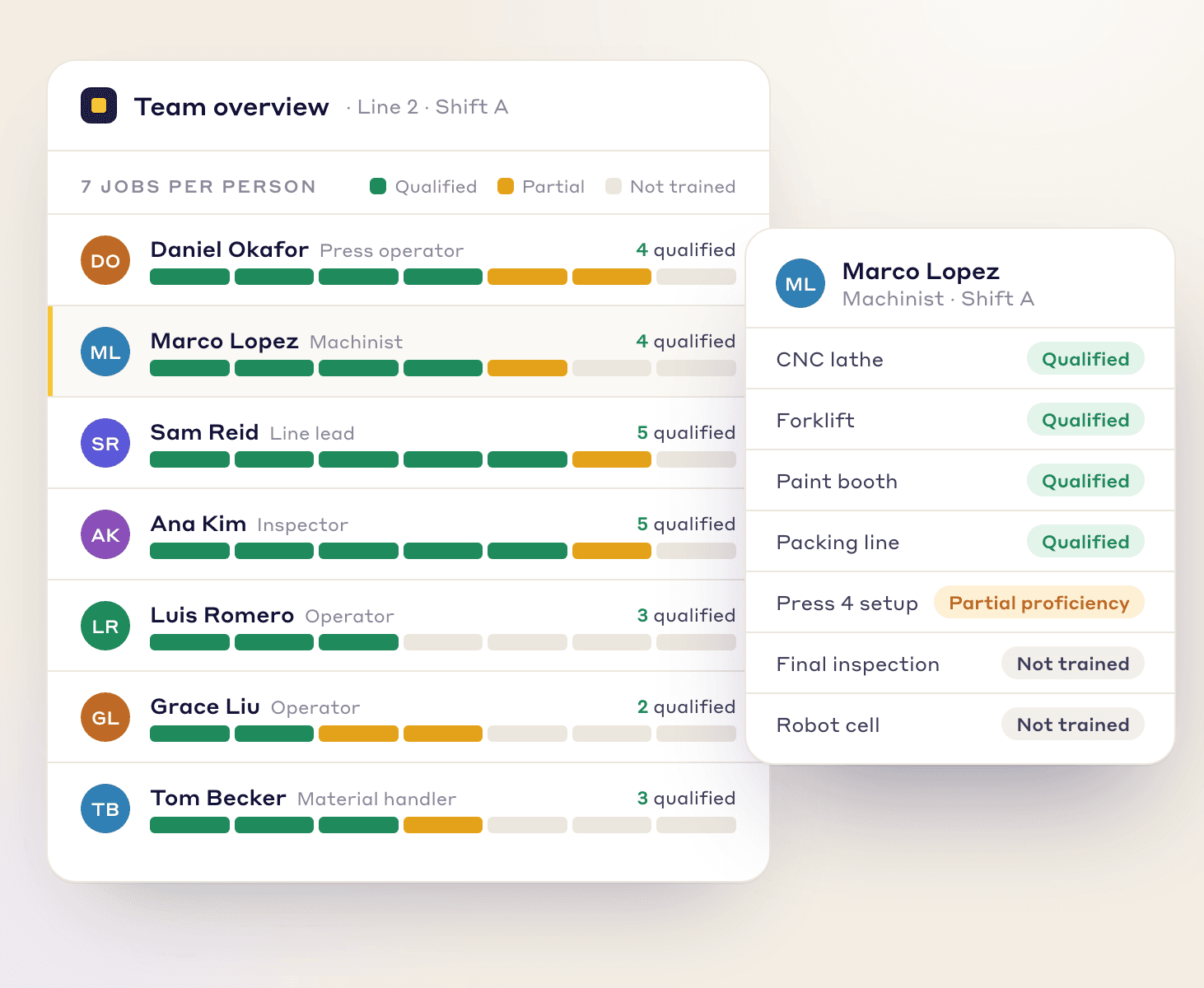
GAIN INSTANT VISIBILITY
A live, color-coded view of who is qualified for each job or area, built from skill levels and procedure sign-offs, not an old spreadsheet.
PINPOINT THE RIGHT PERSON
When a gap appears, filter by shift, department or proficiency level to see who is qualified.
DEPLOY WITH CONFIDENCE
Move people into roles you know they are qualified for, so safety, quality and output hold.
Where the data comes from
Qualification comes from what each job profile requires, so the view is only as old as the last sign-off.
Each job profile (team) lists its required skills, levels and qualifications, such as required hours.
See how it worksEach person signs off their SOPs and OPLs digitally: an audit-ready record, not scanned paper.
Designated trainers or coordinators, not only supervisors, sign off on-the-job qualification checklists.
See how it worksSign-offs and passed courses raise skill levels, and the Job Cover Matrix shows who is qualified where.
See how it workskey benefits
Fill today's gap and plan the training that prevents the next one.
Fill critical roles with qualified people quickly, so an absence costs less production time.
Keep untrained people out of critical roles by deciding from verified, current skills data.
Spot jobs only one person is qualified for and cross-train before that person is out.
EASY GAP CLOSURE
Close the gaps with training you start from the matrix.
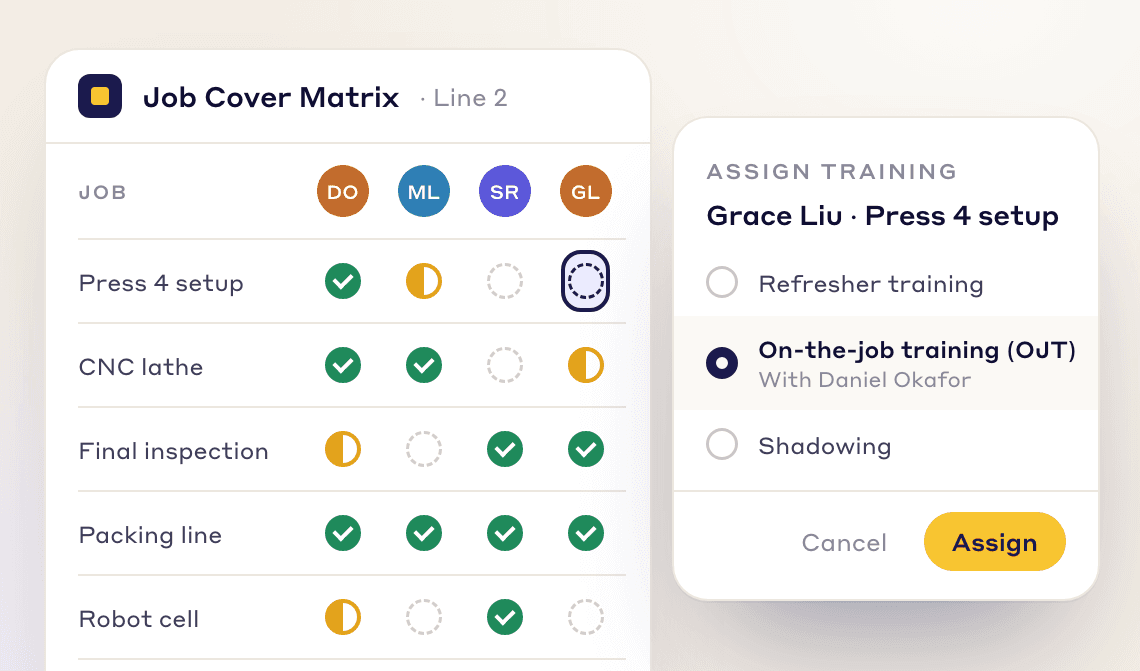
Assign courses, refresher training or on-the-job (OJT) sign-offs where more people need to be qualified.
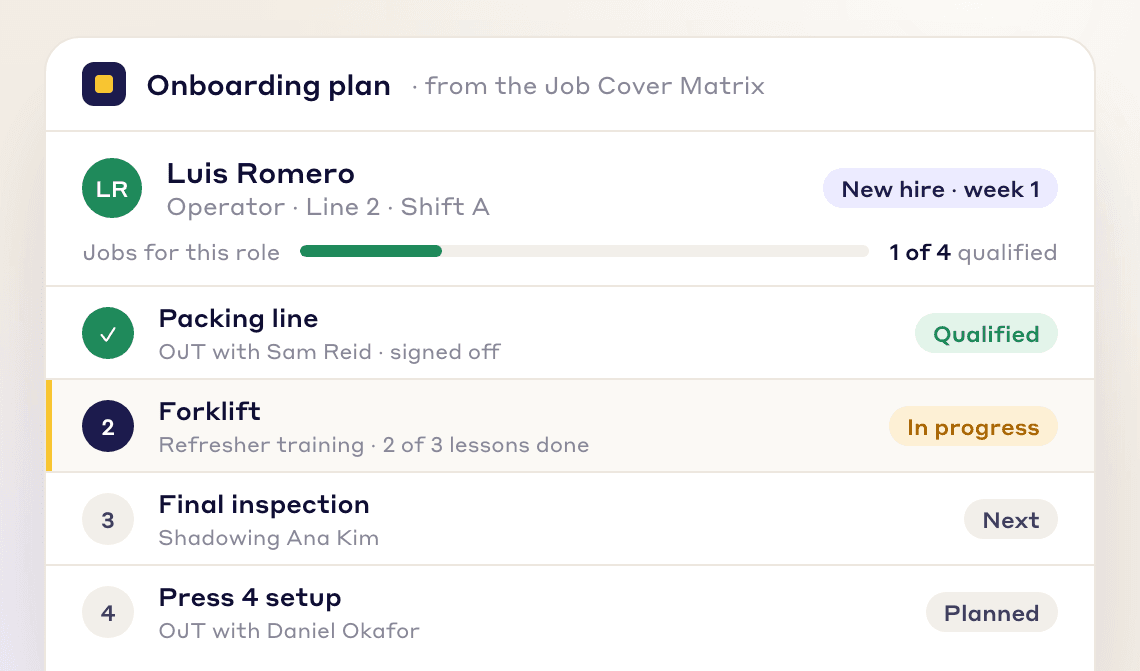
Each job profile lists the skills, procedures and courses a new hire needs, so onboarding follows the same path every time.
Walk-through
FAQs
A job cover matrix is a grid of people against jobs or areas that shows who is qualified to cover each one. LeanSuite keeps it live and color-coded, so when someone calls out you can see who is qualified and fill the gap fast.
A skills matrix records each person's level in each skill. A job cover matrix is organized around jobs or areas and shows who is qualified for each and how many backups exist, so single points of failure stand out.
Each job profile has required skill levels and procedures. A person is qualified once they reach those levels, for example through a linked course or a trainer's on-the-job sign-off, and have signed off the required SOPs and OPLs.
Filter the matrix by shift, department or proficiency level to see who is qualified, then move that person into the role.
It flags jobs only one person is qualified for. From there you assign courses or on-the-job sign-offs to the people who should become backups.
Yes. A new hire's job profile lists the skills, procedures and courses they need, so the matrix doubles as their training roadmap.
A spreadsheet is out of date the day after someone edits it. LeanSuite updates qualifications when people pass a course or sign off a procedure.
Yes. The free skills matrix template at theleansuite.com/templates/skills-matrix-template puts people against skills with a proficiency level and a coverage row, and the cross-training plan at theleansuite.com/templates/cross-training-plan flags tasks with too few qualified people and plans who trains next. Both come as PDF and Excel.
FREE RESOURCES
Not ready for software yet? Start with these free resources.
See how LeanSuite's Job Cover Matrix helps you handle whatever the day throws at you.