
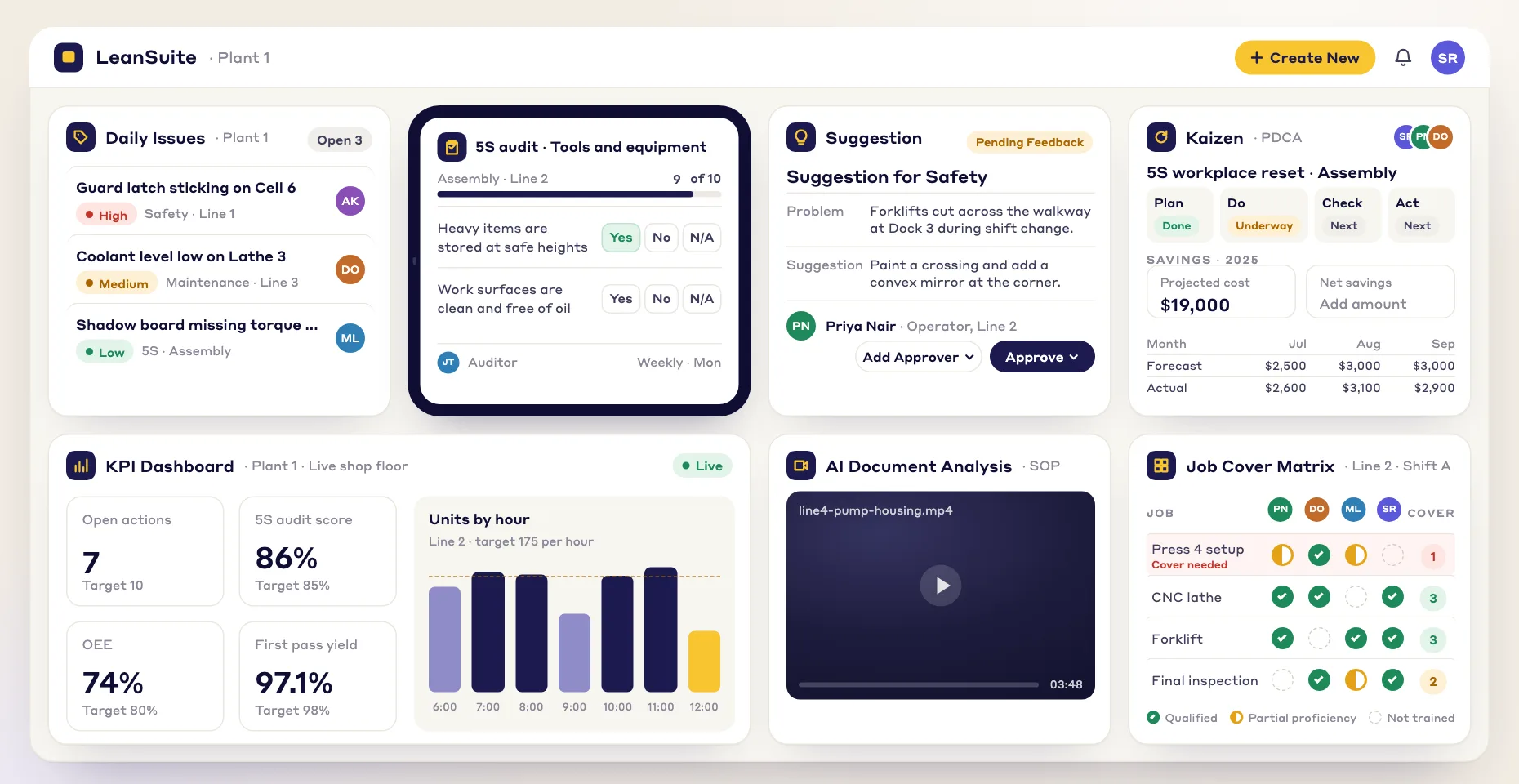
1. Tag it on the spot
Scan the QR code on a machine or area, snap a photo, choose a category like Unsafe Condition or Near Miss, and add a note.
Safety tags in LeanSuite let anyone on the floor report a hazard, near miss or unsafe condition in seconds, route it to an owner and track it until it's fixed.
HOW IT WORKS
Report a hazard the moment you see it, and manage it from first report to fix.
Scan the QR code on a machine or area, snap a photo, choose a category like Unsafe Condition or Near Miss, and add a note.
Each hazard appears on a live safety dashboard straight away, and the EHS team and area supervisors are notified automatically.
Assign corrective actions, set due dates, and collaborate on the fix in the ticket, leaving an auditable trail for compliance.
AI AND VISUALIZATION
Live floor plan mapping and Lean AI show which hazards are open on your floor, where they are, and why, in real time.
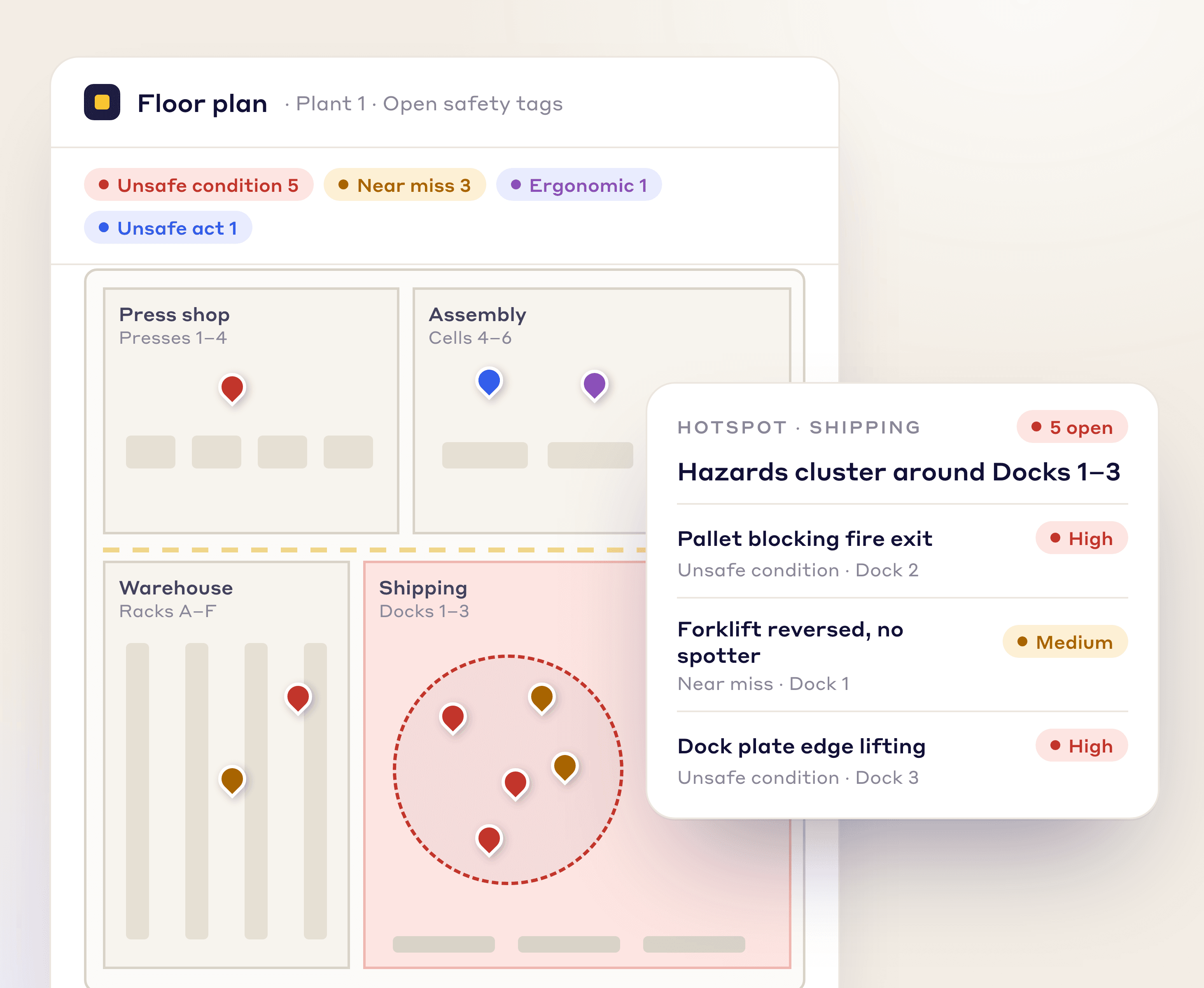
FLOOR PLAN VISUALIZATION
Your facility layout becomes a live map of open hazards, so you can spot hotspots and send people where they're needed most.
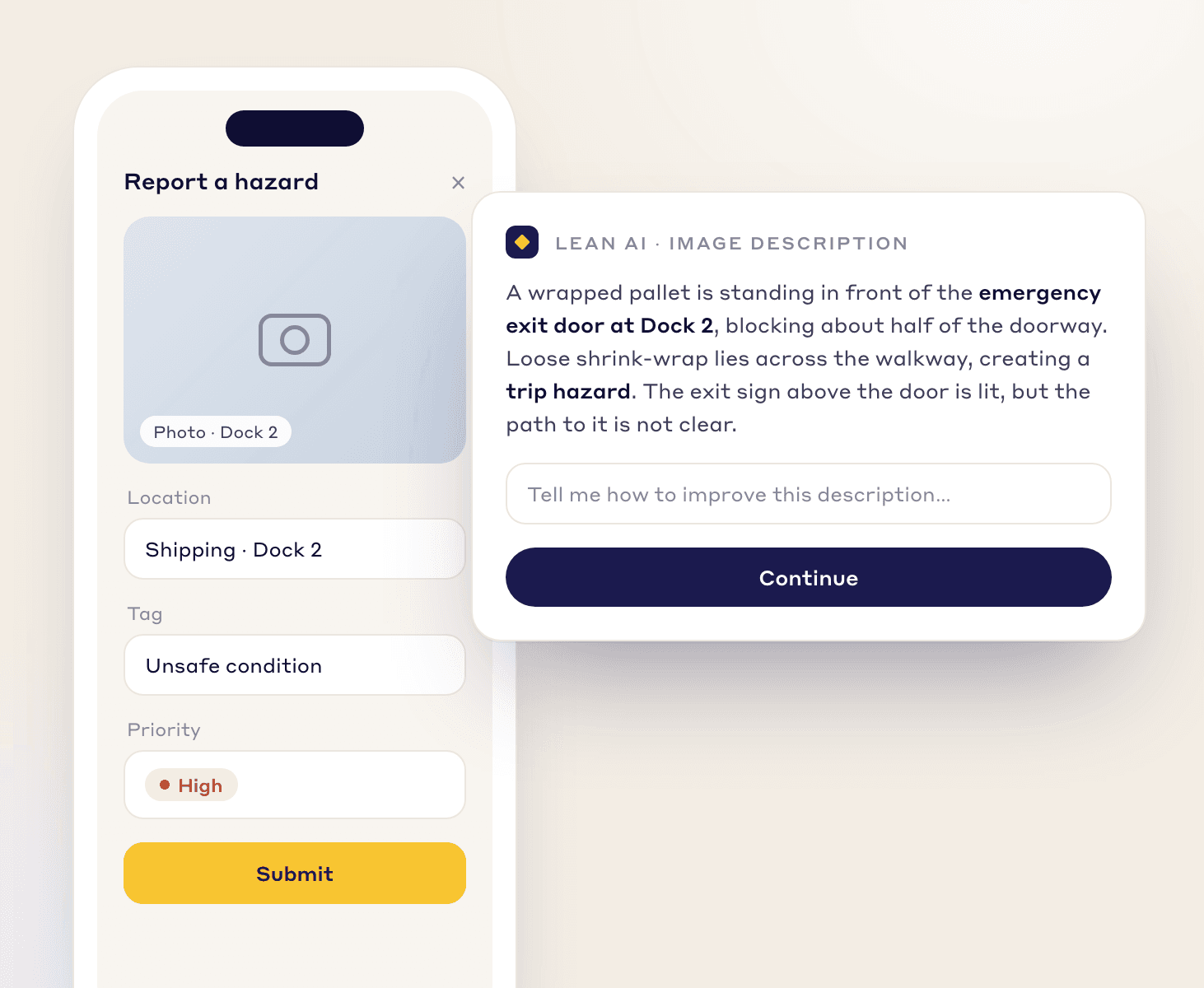
LEAN AI IMAGE RECOGNITION
Operators snap a photo and Lean AI describes it and lists the hazards it sees, so every report is logged the same clear way.
AUTOMATION
Rules route each hazard report, set its deadline, and keep one person accountable for it.
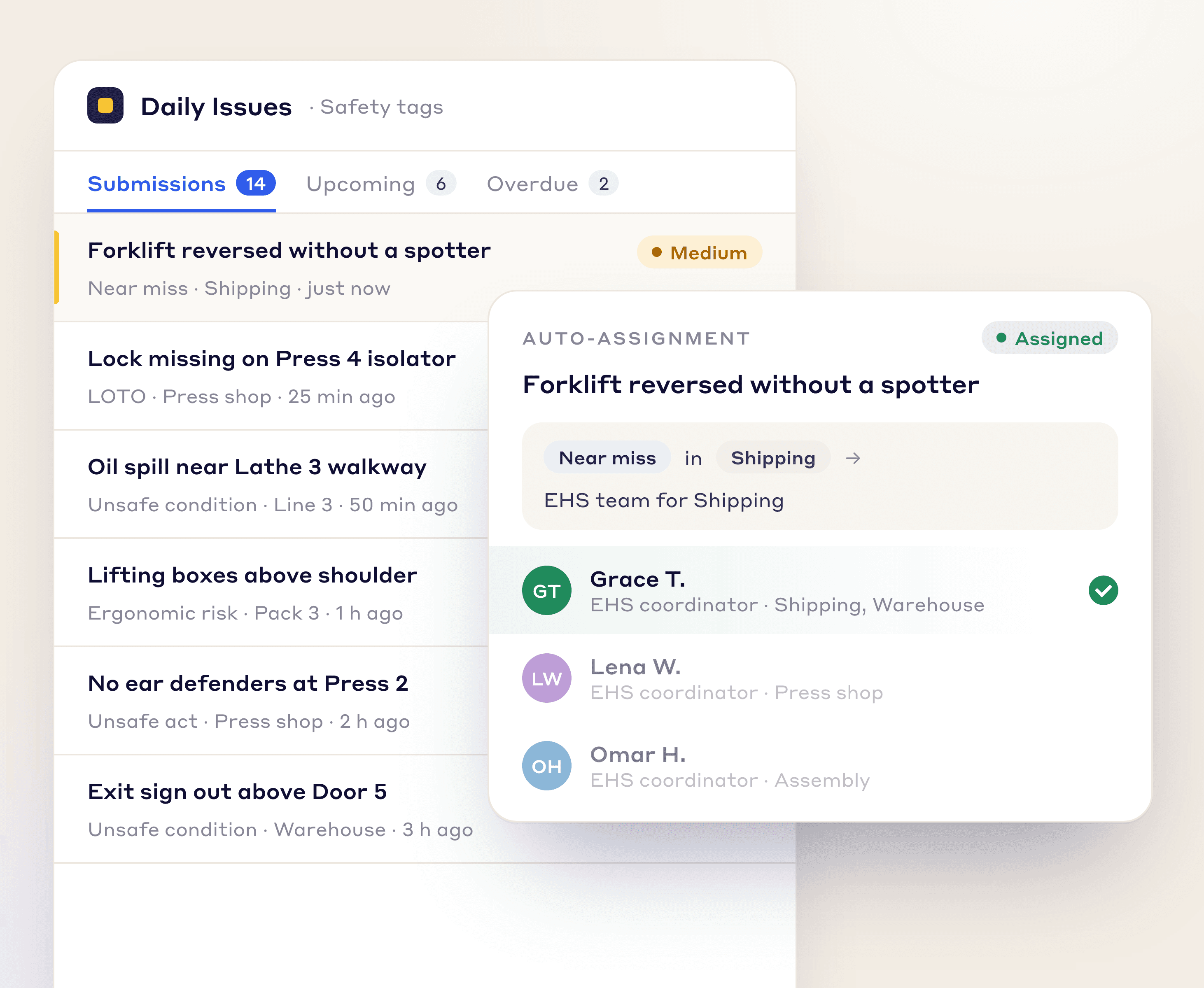
Route each hazard to the right person or team based on its type and location.
Set due dates automatically from priority, so the most serious hazards are handled first.
Cap how many times a hazard can be reassigned, so it can't bounce between people.
SAFETY TAGS
Sort every report by type for cleaner tracking and analysis, and create custom tags for any process or department.
Capture physical hazards like spills, blocked exits, or damaged equipment.
Document incidents that could have caused injury but didn't.
Identify tasks that pose a risk of musculoskeletal injury.
Flag at-risk behaviors like improper lifting or missing PPE.
Flag improper lockout/tagout procedures.
Log minor injuries that require first aid.
A CONNECTED SYSTEM
Daily safety reports feed straight into your wider continuous improvement work.
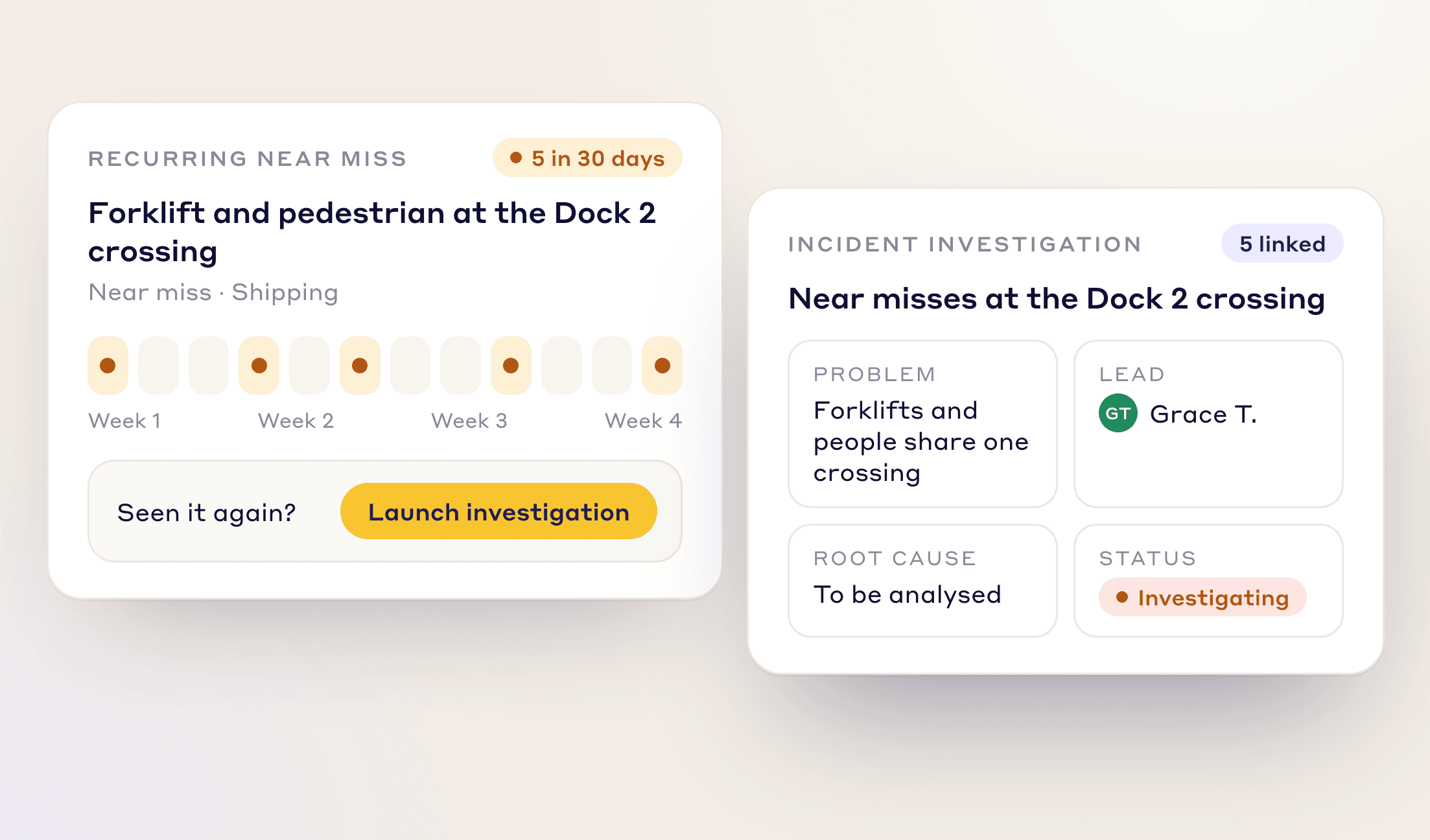
Same near miss again? Escalate a recurring problem into a formal incident investigation in one click and fix the root cause.
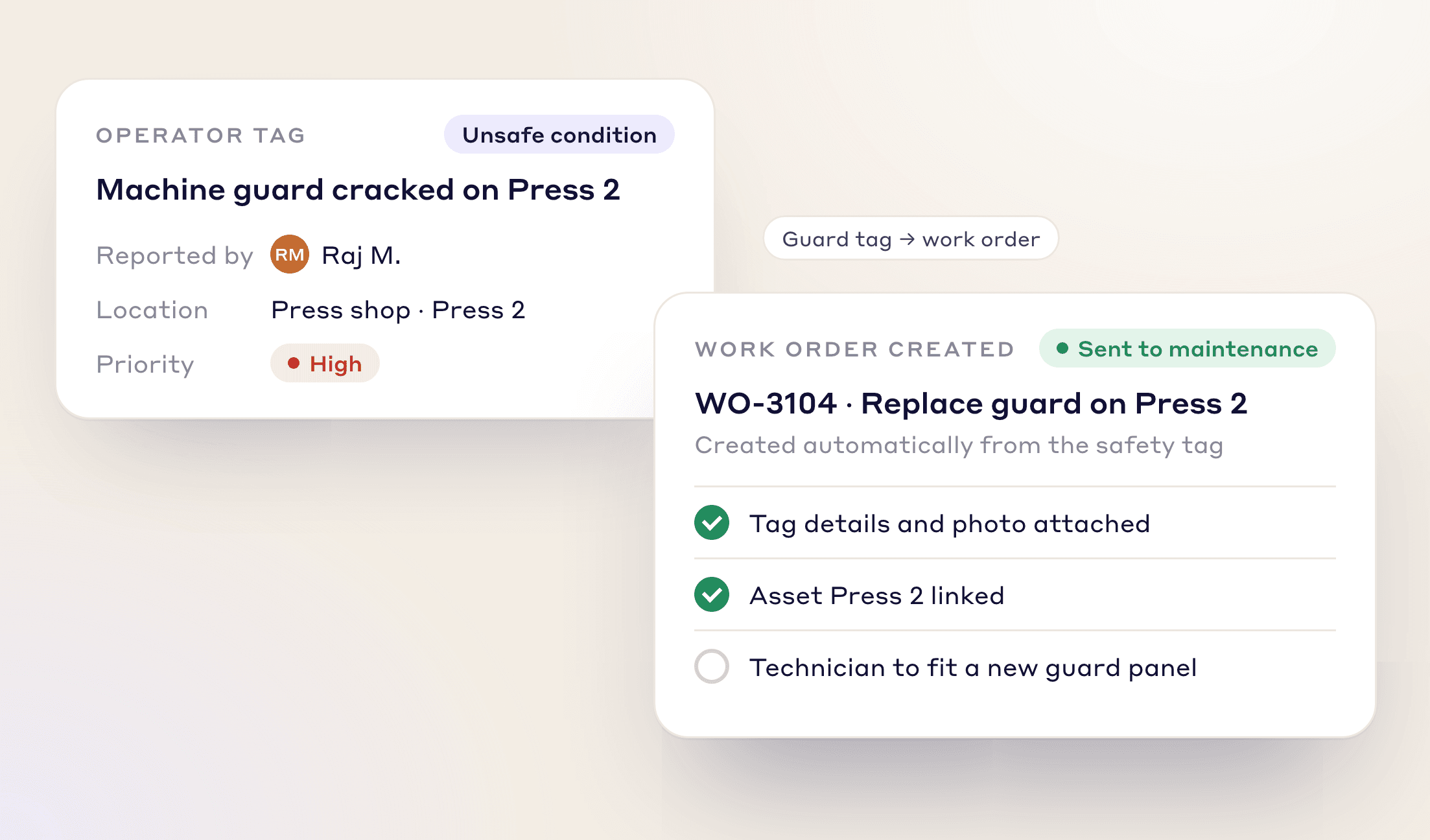
When an operator tags a damaged machine guard, it is routed to maintenance with an owner and due date.
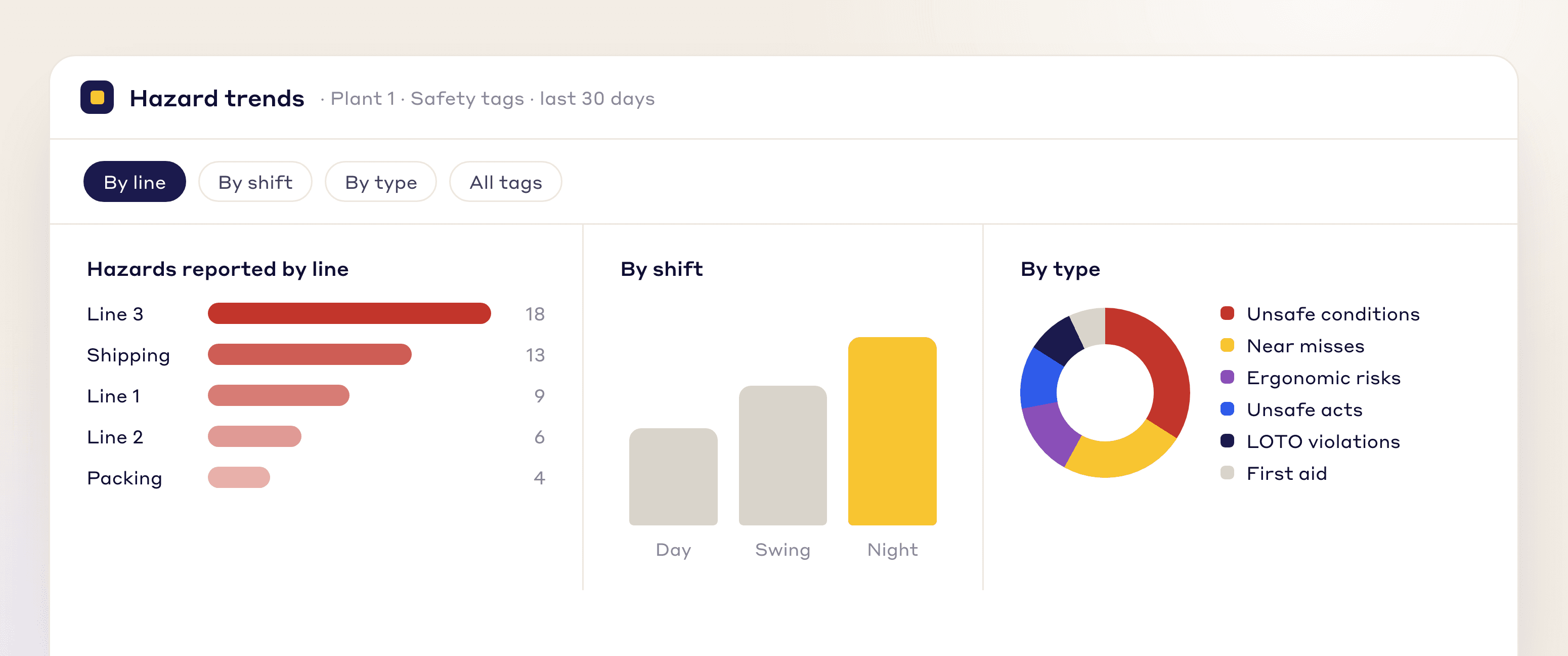
Break hazard data down by line, shift, or type to find your biggest risks and act before someone gets hurt.
FAQs
A safety tag is a report of a hazard, near miss or unsafe condition, raised by the person who spots it so it can be fixed before anyone gets hurt. In LeanSuite, anyone scans the QR code on a machine or area to raise one, and the tag is tracked on a live safety dashboard until the corrective action is done.
A near miss is an unplanned event that could have caused injury, illness or damage but did not. Reporting near misses lets a plant fix the hazard before someone gets hurt, and in LeanSuite a near miss is one of the safety tag types.
Unsafe conditions, near misses, ergonomic risks, unsafe acts, LOTO violations and first aid incidents. You can also create custom tags for any process or department.
The EHS team and area supervisors are notified as soon as the hazard appears on the live safety dashboard. Rules route it to the right person or team by type and location.
Each hazard gets a corrective action with a due date set from priority, so the most serious ones are handled first. Reassignments are capped so a hazard can't bounce between people, and the ticket keeps an auditable trail.
Escalate it into a formal incident investigation in one click and work on the root cause. You can also break hazard data down by line, shift or type to find your biggest risks.
Yes. When someone attaches a photo, Lean AI writes a description of the problem and lists the hazards it sees.
Yes. A tag that can't be fixed locally is escalated to tier 2 or tier 3 with its history, and can be sent back down with a decision.
See how LeanSuite brings clarity, collaboration, and control to your daily safety work.

