
Standardize your approach
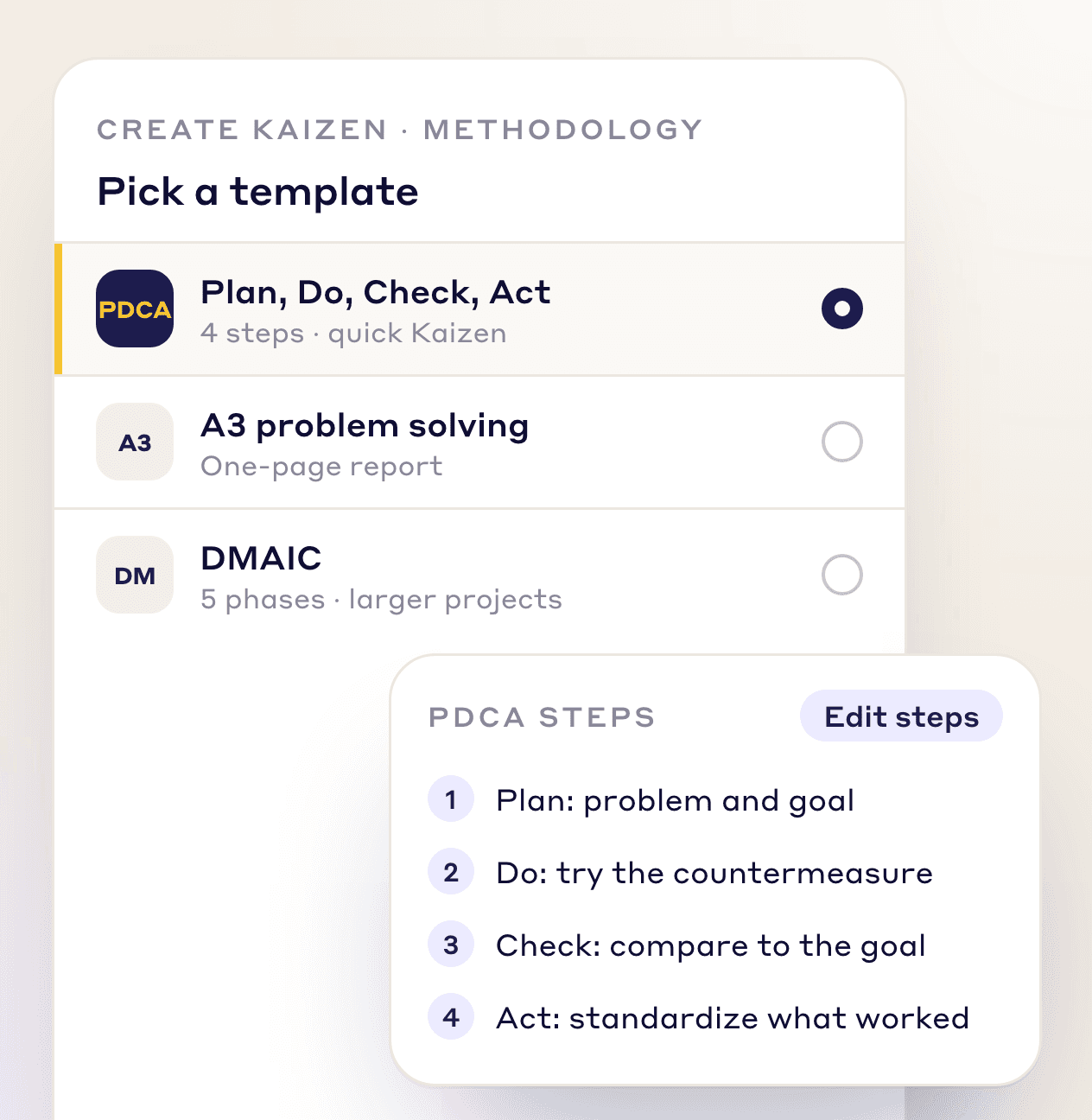
Use A3, DMAIC, PDCA, PDSA or just-do-it templates, or define your own method and phases.
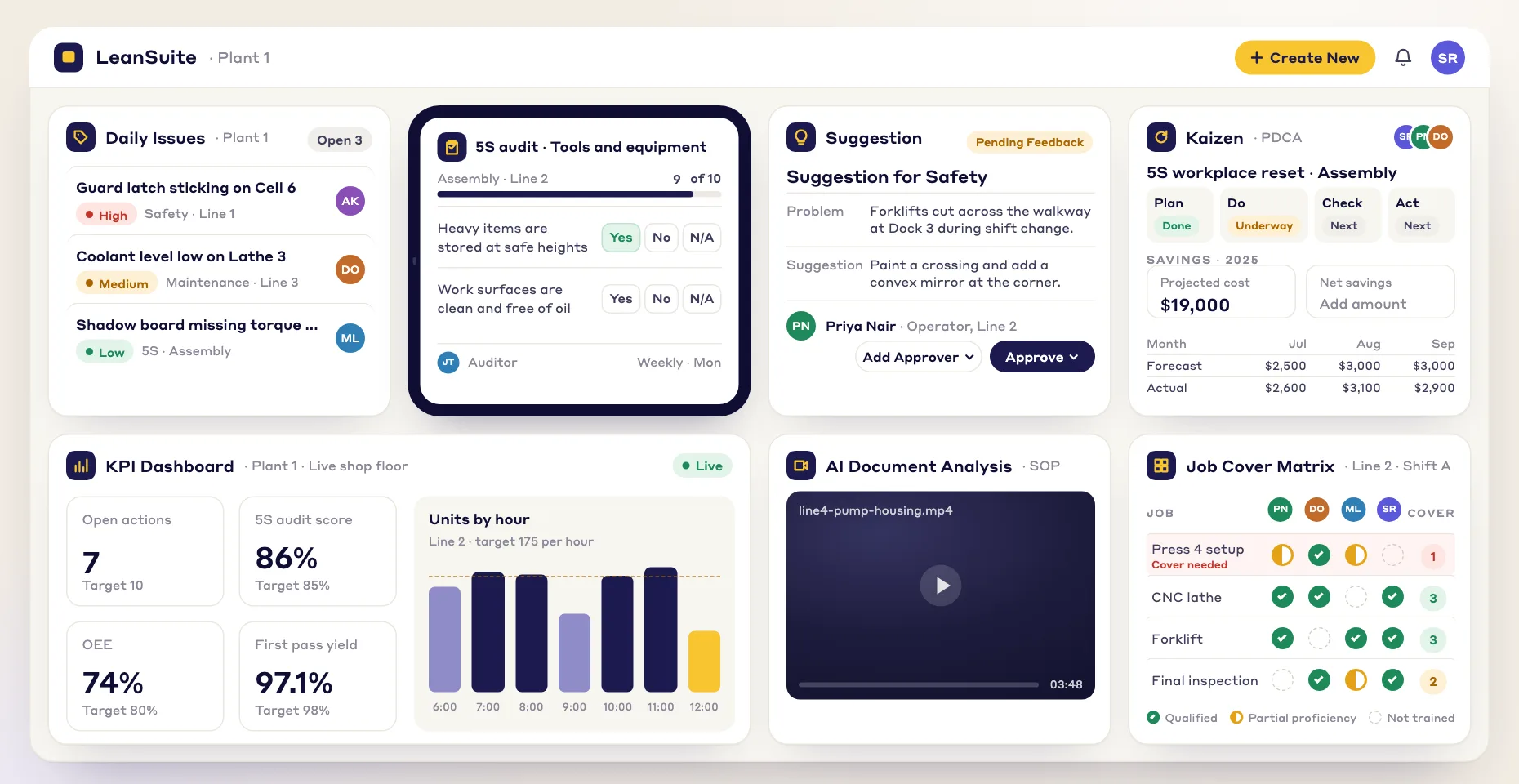
Continuous improvement software runs every improvement project in one place. LeanSuite takes each Kaizen, CAPA, CapEx or engineering project from idea to verified savings, with your own methods, phases and approval rules.
New to this? Read what continuous improvement software is.
By clicking "Schedule Demo," you agree to the use of your data in accordance with LeanSuite's Privacy Notice, including for marketing purposes.
TRUSTED BY INNOVATIVE LEADERS
END THE CHAOS
One standard place to plan, run and track every project.
Use A3, DMAIC, PDCA, PDSA or just-do-it templates, or define your own method and phases.
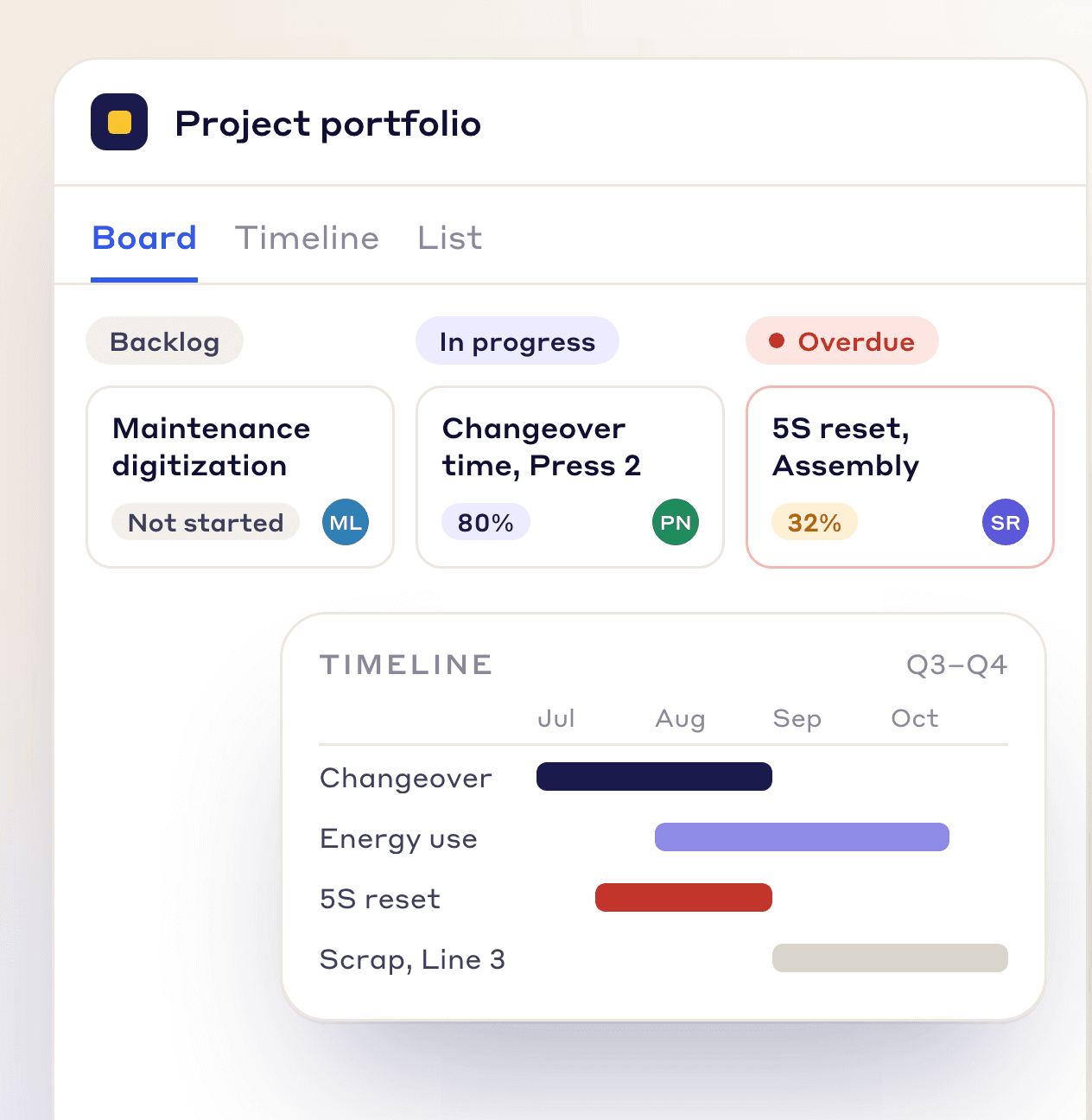
See the whole portfolio in table, list or Gantt views, and save the views you use most.
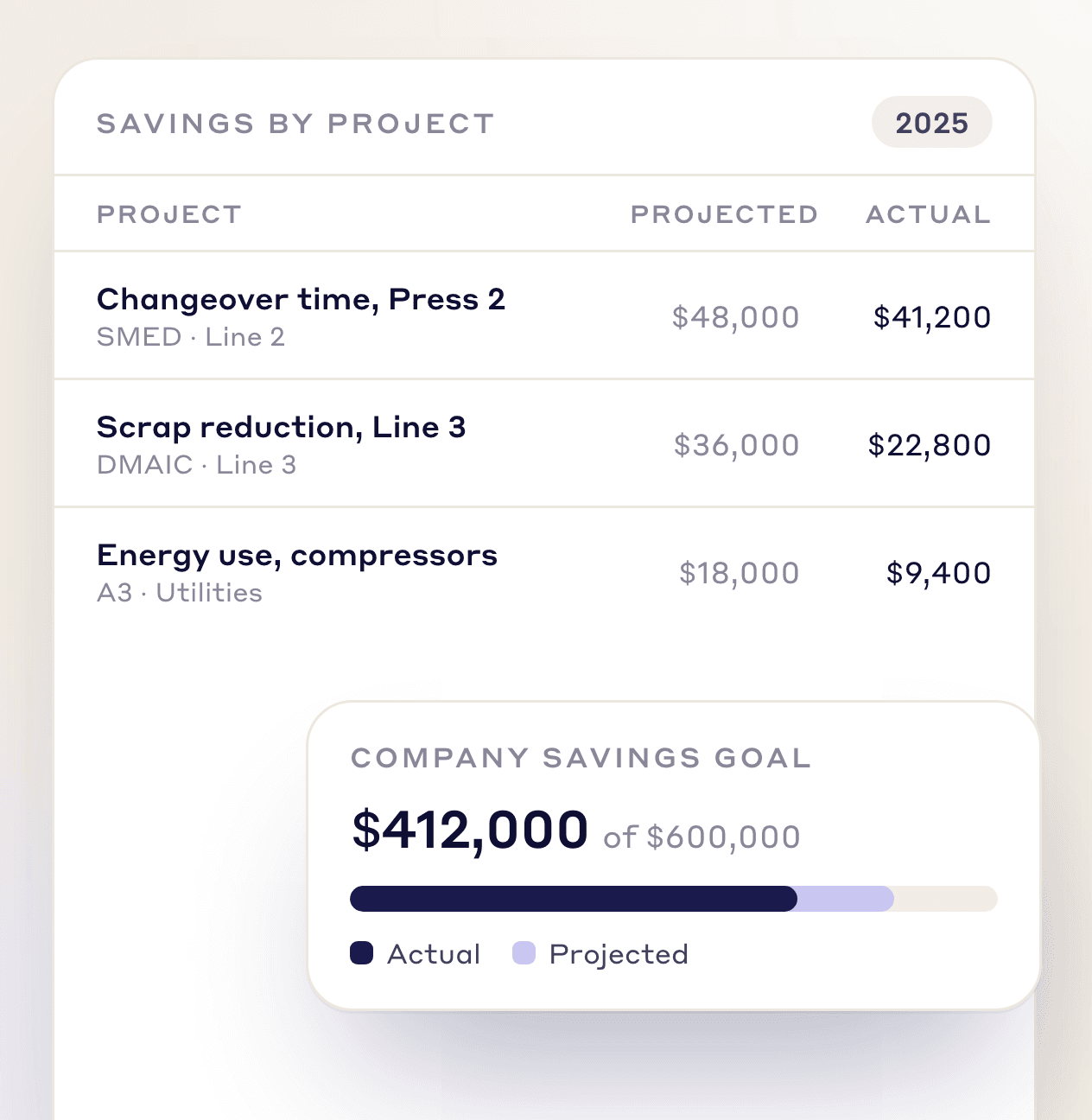
Track projected and actual savings, hard and soft, against your plant and company targets.
CUSTOM WORKFLOWS
Build the workflow to your own steps, fields and approvals. At each stage, set who can move a project, what must be valid before it moves, what updates on its own when the status changes, and who is told. Send-back steps return work for rework, and each project picks its workflow from its type.
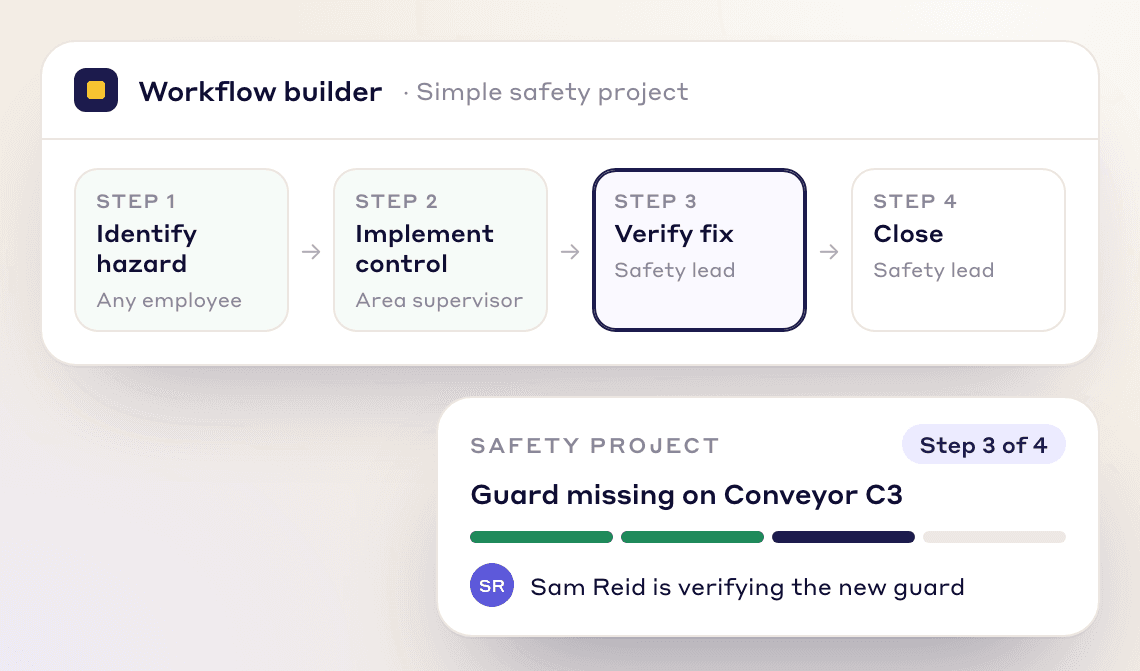
A short workflow for quick fixes: 1. Identify Hazard → 2. Implement Control → 3. Verify Fix → 4. Close
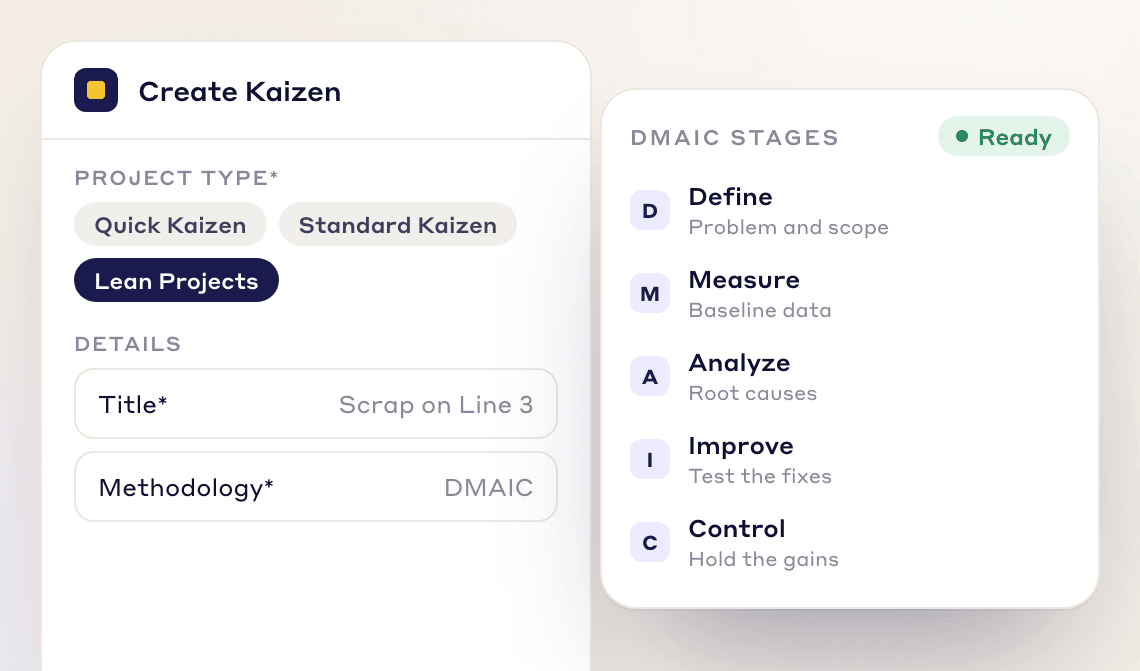
A five-stage DMAIC workflow for in-depth problem-solving: 1. Define → 2. Measure → 3. Analyze → 4. Improve → 5. Control
See how it works: Build a workflow for Kaizen, EWO or F-Tag
PROJECT SETUP
Pick the right method and the right people, so each project can finish on time.
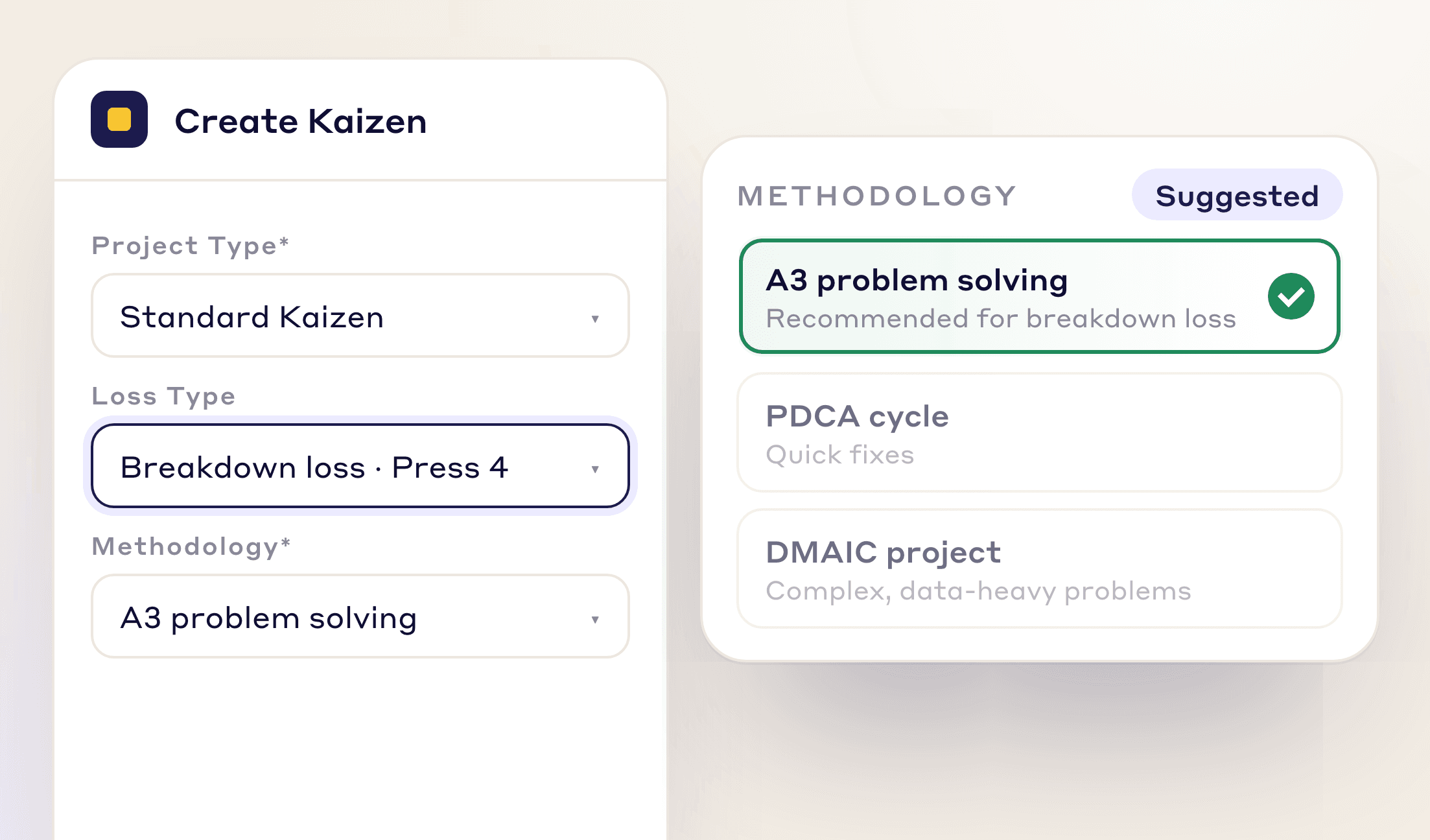
Each project type (Quick Kaizen, CAPA, CapEx or your own) has its own methodologies, phases and days per phase.
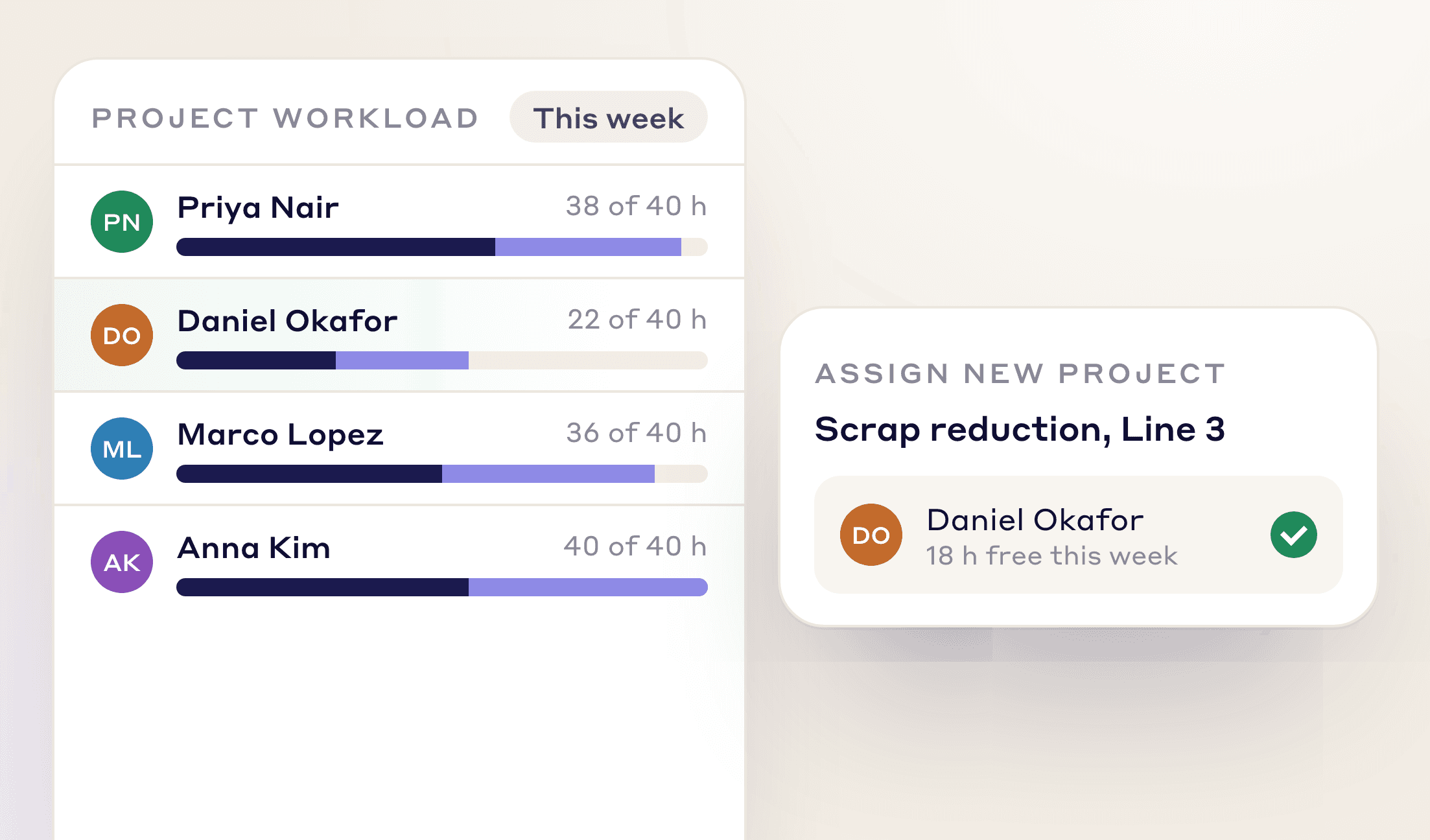
See planned against actual project hours per person, with overload warnings, and give new work to people with free hours.
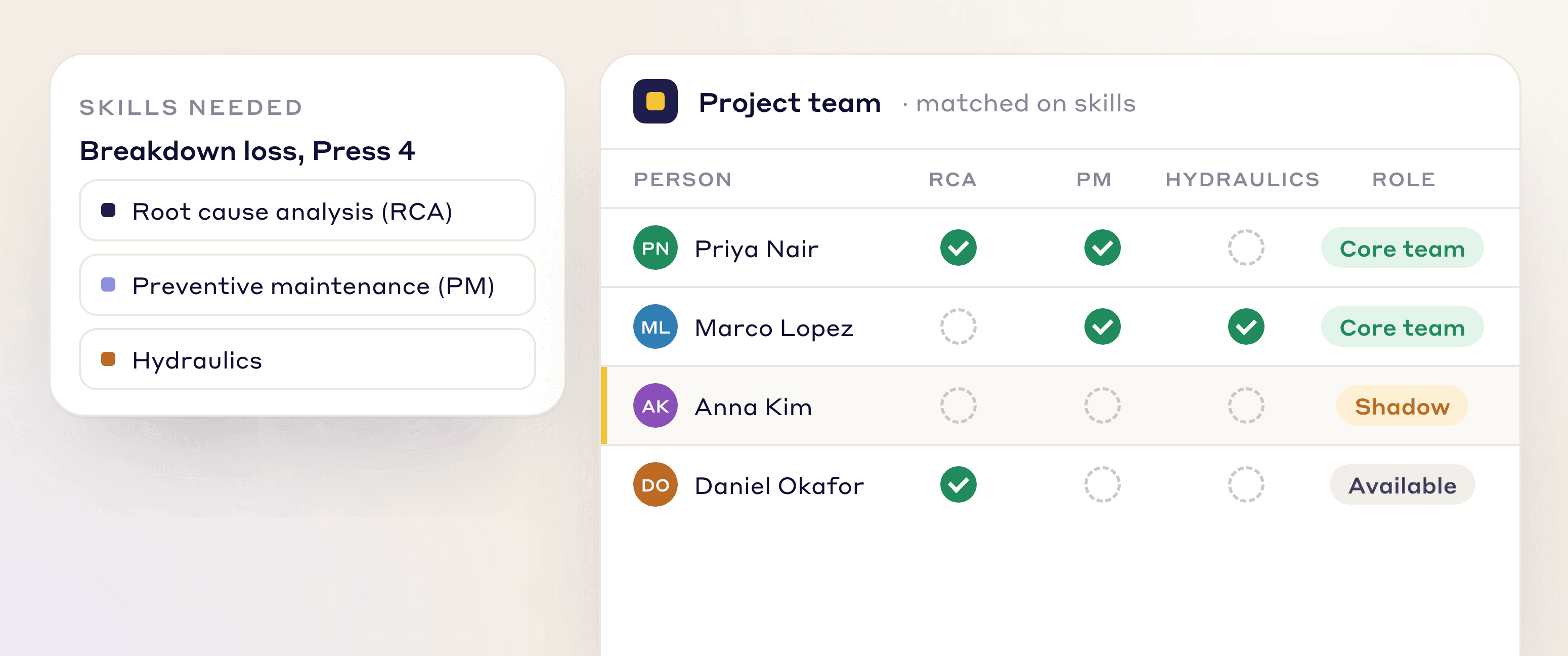
Find people with the skills a project needs, and add a shadow to build those skills.
INSIDE EVERY PROJECT
Each phase holds the sections, actions and people the project needs.
Add 5 Whys, 5W1H, 4M1D, fishbone, 5G, MTTR or failure-curve sections to any phase, or build your own in Lean Creator.
Every action has an owner and a due date, and projects line up on a Gantt timeline with each delay's reason.
Press Present and the project becomes slides with your logo, ready for the review. Export it as a PDF, or the project list to Excel.
Record hard and soft savings, cost avoidance and capital spend, and split the credit between lead, sponsor, coach and team.
Track more than one KPI on a project, each with its own target and result.
Link files from your shared drive, other LeanSuite records or a web page, and discuss the project with comments and @mentions.
See how it works: Kaizen section types · Action plans, timelines and delays · Present, export and analyze a Kaizen
project types
Engineering, CapEx, quality, safety and non-manufacturing teams each run their own project types.
Standardize the CI portfolio and track hard savings from Kaizen projects against plant targets.
Run CapEx projects through stage gates with engineering and finance approval.
Run each CAPA as a project with its own approval steps and root cause sections.
Run investigations and close corrective actions before incidents repeat.
AUTOMATED TIMELINES
Due dates fill in from each methodology's timing, and the team is alerted when a project starts to slip.
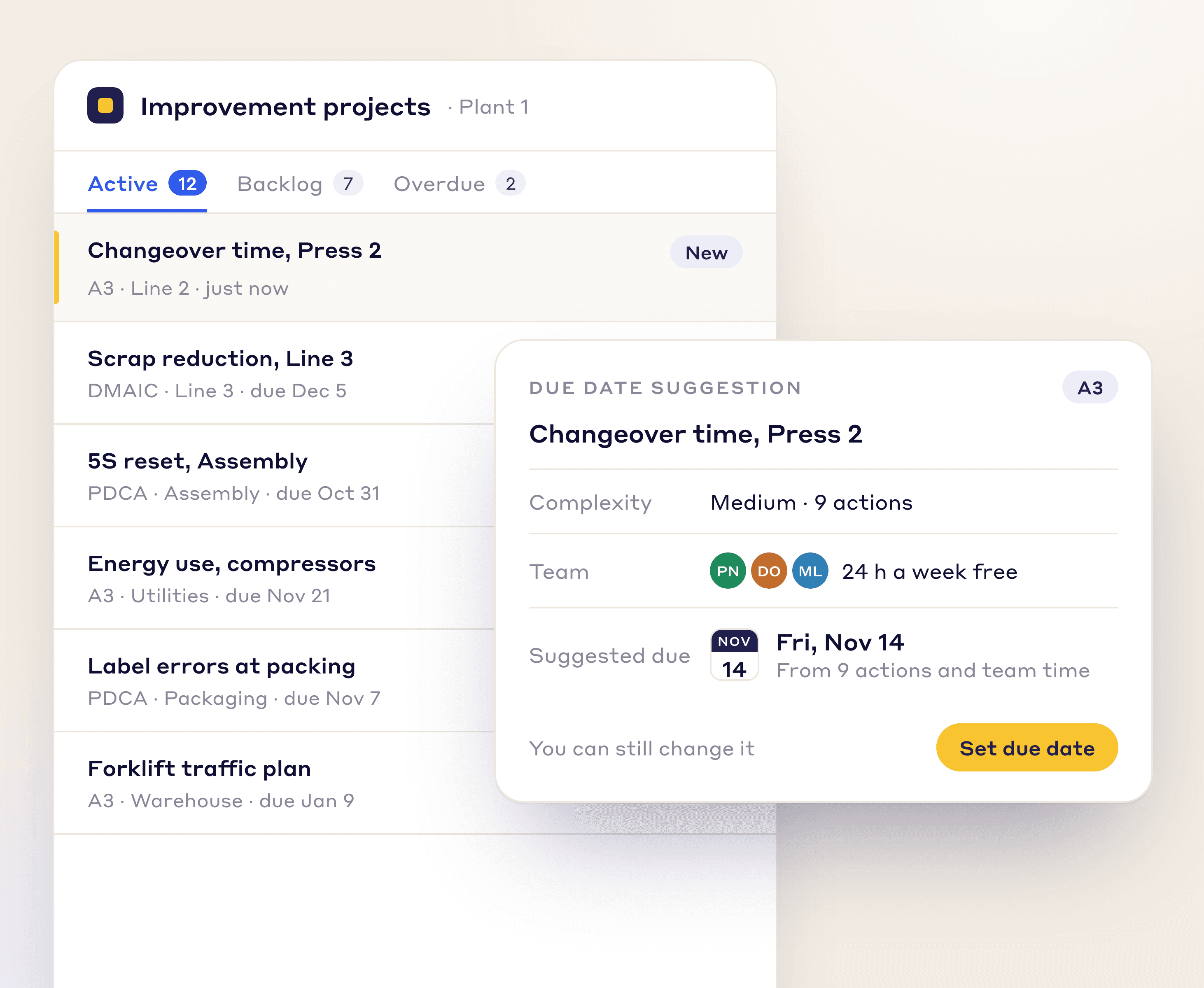
Days to due and days per phase are set per methodology, so every project starts with a timeline.
Late phases trigger alerts, and a due-date change needs a reason and an approval.
CONNECTED WORKFLOW
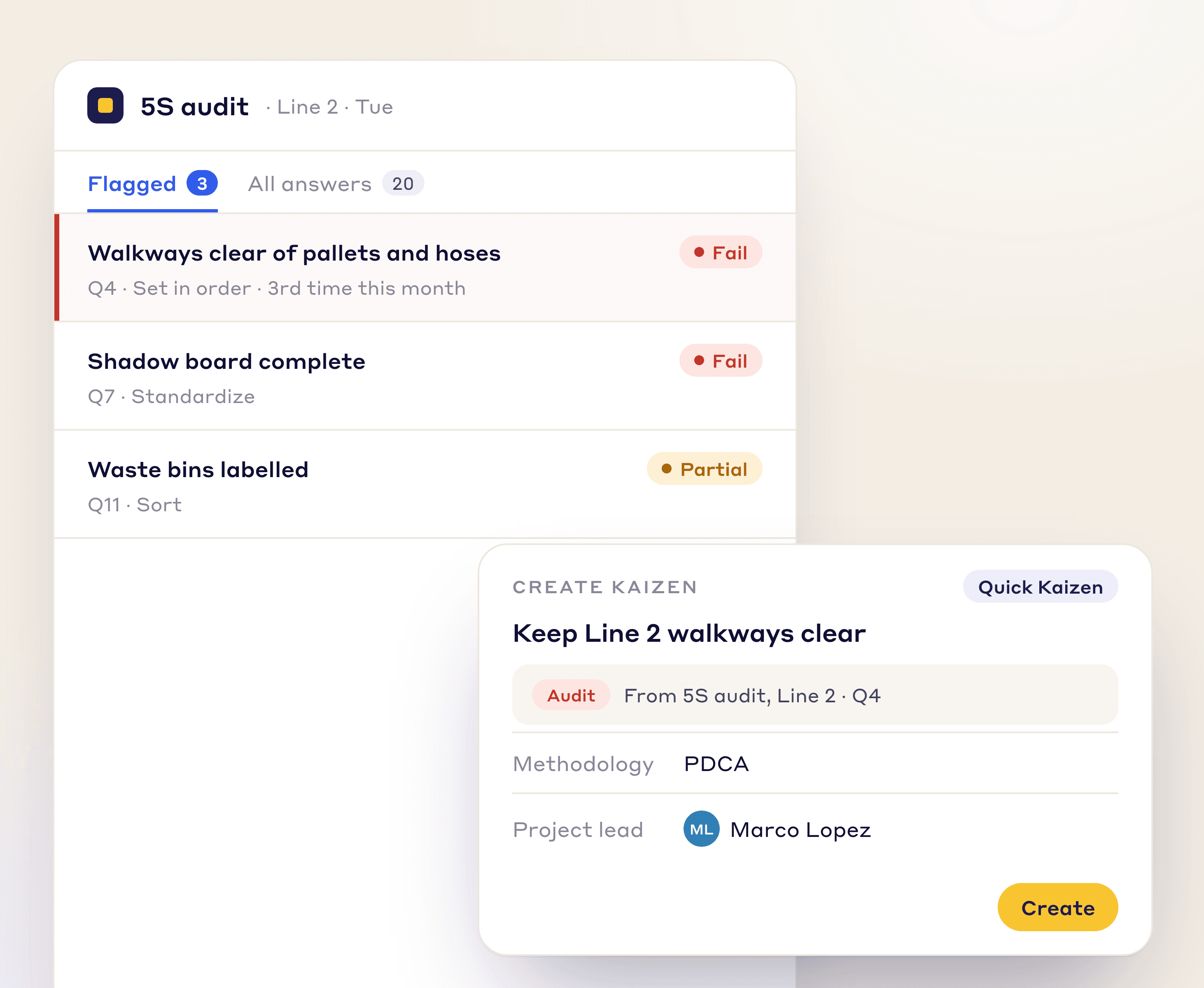
Turn a flagged audit, a top loss, a defect or an idea into a structured project in one click, with the link kept.
A flagged audit response becomes a corrective action.
A prioritized loss becomes a Kaizen.
An approved employee idea becomes a project.
NEW: LEAN AI
RCA, Kaizen, work orders, tags and best practices follow your own steps, fields and approvals.
At each stage you set who can move it, what must be valid first, what updates on its own and who is told.
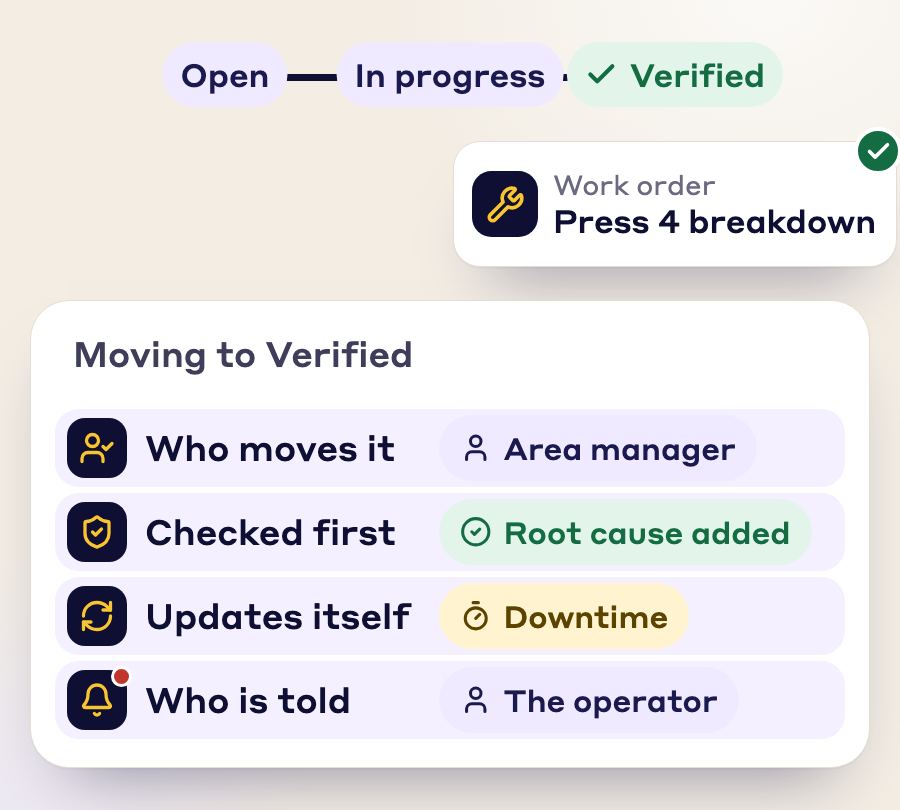
One issue becomes a tag, an RCA, a work order, a Kaizen and a best practice. Nobody retypes it.
Photos, SOP, checklist and signatures stay attached and linked.
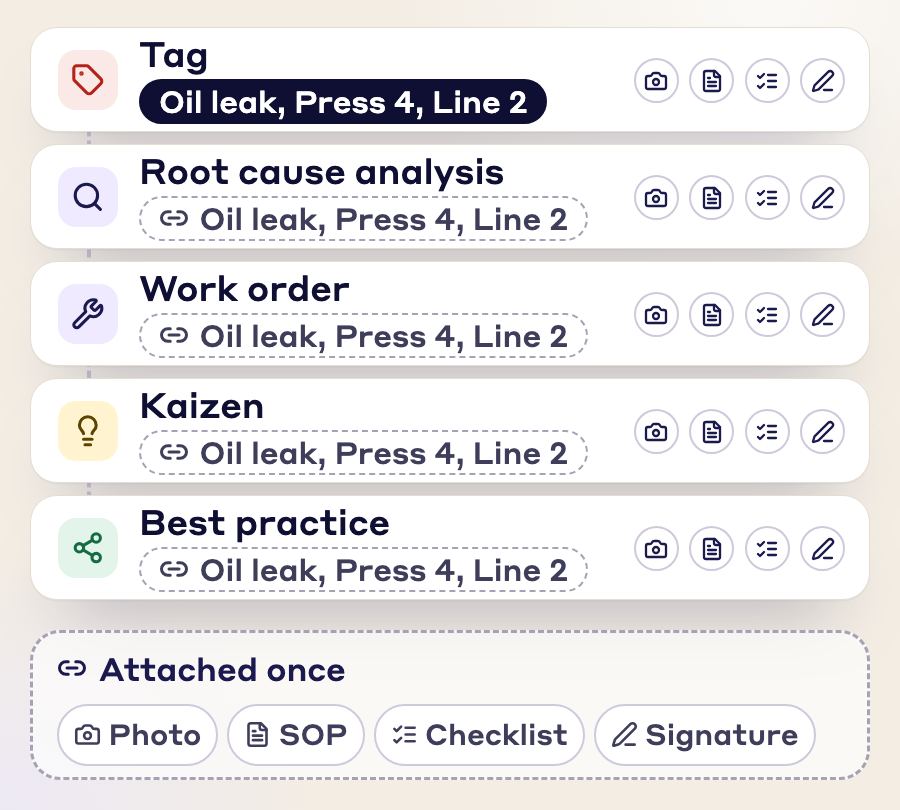
Every module is connected to every other, so you enter the same information once and the paperwork stays linked to each document.
LeanSuite runs DMAIC, PDCA, A3, 8D or your own method, and any project type, including CapEx stage-gate projects and projects outside manufacturing. A DMAIC project cannot close until Finance verifies the savings, and savings roll up across plants in one workspace. For the long form of what the category is, read what continuous improvement software is.
Score vendors with the free CI software evaluation scorecard, or size your savings with the kaizen savings calculator and check your starting point with the lean maturity assessment.
| Option | Good for | Watch for |
|---|---|---|
| Spreadsheet | One team or area, with one person who owns the file. | Copies that drift apart, actions nobody chases and reports built by hand. LeanSuite vs spreadsheets. |
| Power Apps or a homegrown tool | A development team that will own the tool for years, with a small and stable scope. | One person who builds and maintains it, and a hand-over when they leave. LeanSuite vs Power Apps. |
| Purpose-built software | Several shifts or sites on one process, operators who need a phone app, a vendor that maintains it. | Whether it runs your methods, how it is priced and how much setup is yours. |
Whirlpool runs 14 plants on one project system. Its Global Kaizen Power Pitch drew 84 Kaizen battles, 150 Kaizen presented, 612 project team members and 191 committee members, with $14.8M in hard savings and $17.6M in soft savings. Read the Whirlpool case study.
“The Project Tracking System generates significant savings while ensuring seamless delivery... The Global Kaizen Power Pitch completely transformed our ability to share best practices.”
“LeanSuite has been a strong weapon for us on kaizen management and development, it has helped us on reducing time reviewing and creating submitting sites.”
FAQs
Continuous improvement software plans, runs and tracks improvement projects in one place instead of spreadsheets. LeanSuite runs every project, from a quick Kaizen to a DMAIC, CAPA or CapEx project, through to measured savings.
You pick a project type and methodology, and the project follows its phases and workflow. Each phase holds sections such as 5 Whys or an action plan, due dates come from the methodology, and savings roll up to plant targets. Owners are alerted when a phase runs late, and changing a due date needs a reason and an approval. The workflow itself is built to your plant's own steps, fields and approvals, and a project started from a tag or idea keeps that record and its photos linked, so nothing is typed twice.
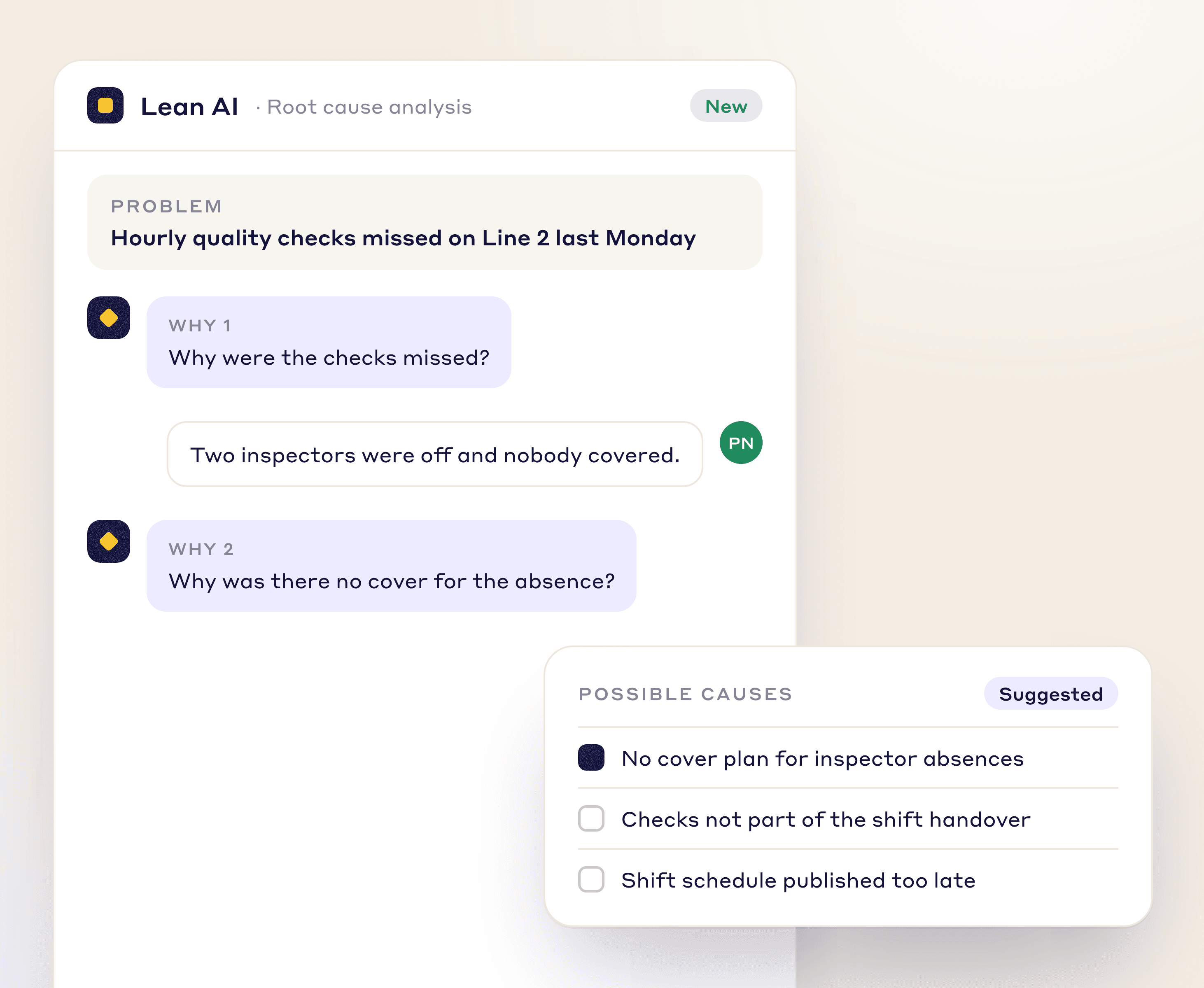
Any method. A3, DMAIC, PDCA, PDSA and just-do-it are ready to use, and you can define your own, such as 8D or a company method, with its own phases. Root cause sections such as 5 Whys, 5W1H, 4M1D and fishbone are built in, and the RCA Agent drafts them from the description and attached files.
Yes. For each workflow step you set who can move the project, which fields are required, and which updates or alerts follow. For example, a project can require hard savings before it reaches finance, and approvers see everything waiting for them on the Kaizen approval dashboard.
Idea capture from the floor, owners and due dates on every action, support for any method (A3, DMAIC, PDCA, 8D or your own), savings that Finance verifies before a project closes, reporting across plants, a phone app and single sign-on. The free CI software evaluation scorecard turns these into a weighted score.
General project tools do not know your improvement methods, have no savings check and are not linked to audits and daily issues. A kaizen spreadsheet breeds copies, has no reminders and cannot be used by operators on the floor. Continuous improvement software keeps one record per improvement, from the first report to the verified result.
Yes. You define the project types, so engineering, CapEx, quality, safety and non-manufacturing projects each run with their own workflow.
Yes. Each project records hard and soft savings next to its costs, yearly targets are set per department, and a glide path shows closed and projected savings against target. Plants share one workspace, so company-level roll-ups compare sites, and reports show benefits against costs and which projects slipped.
Yes. Presentation mode turns a project into branded slides, a project exports as a PDF, and the project list exports to Excel.
Start small: the free Starter plan covers idea management for teams of 25 or fewer. Kaizen projects and savings tracking come with the facility plan, and you can test them on your own lines with the 90-day pilot: $3,000 per facility, with your first module live in under a week.
FREE RESOURCES
Not ready for software yet? Start with these free resources.
Let us show you how LeanSuite can bring structure, visibility, and financial accountability to your continuous improvement program.
